Hair Color Try-On Online Free: Best AI Tools Compared (2026)
Compare the 5 best free hair color try-on tools online: Blendsor, Garnier, L'Oreal, YouCam and FaceApp. Which one gives the most realistic results in 2026?
Blendsor
Blendsor Team
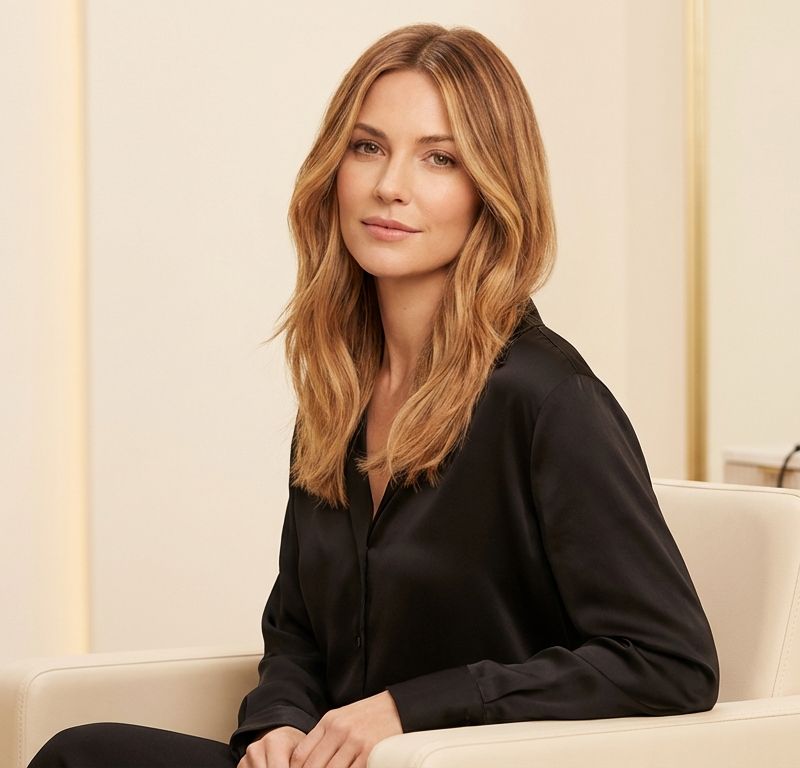
You’ve found the perfect color inspiration. Now comes the question you can’t shake: will it actually look good on you?
That moment of doubt is completely valid. Hair color is a real commitment — especially if the change requires bleaching, multiple sessions, or a dramatic shift from your natural shade. Getting it wrong is expensive to fix.
The good news: in 2026, you don’t have to guess. Hair color try-on tools let you see the result on your own photo before making any commitment — before you even book an appointment.
The problem is that not all of them work the same way. Some tools apply a color filter over your photo (and the result looks fake). Others use generative AI to create an entirely new image that shows how your hair would genuinely look with that color.
This comparison breaks down the 5 most widely used tools in 2026 so you can choose the one that fits what you actually need.
Quick summary: The best free hair color try-on tool online is Blendsor — it uses generative AI (not filters), creates a new photorealistic image with your chosen color, and tells you exactly what you’d need to achieve that change at a salon. Free, no sign-up required, works directly in your browser.
How does a hair color try-on tool actually work?
A hair color try-on tool takes your photo and digitally changes your hair color. There are two distinct technologies, and the difference in results is significant.
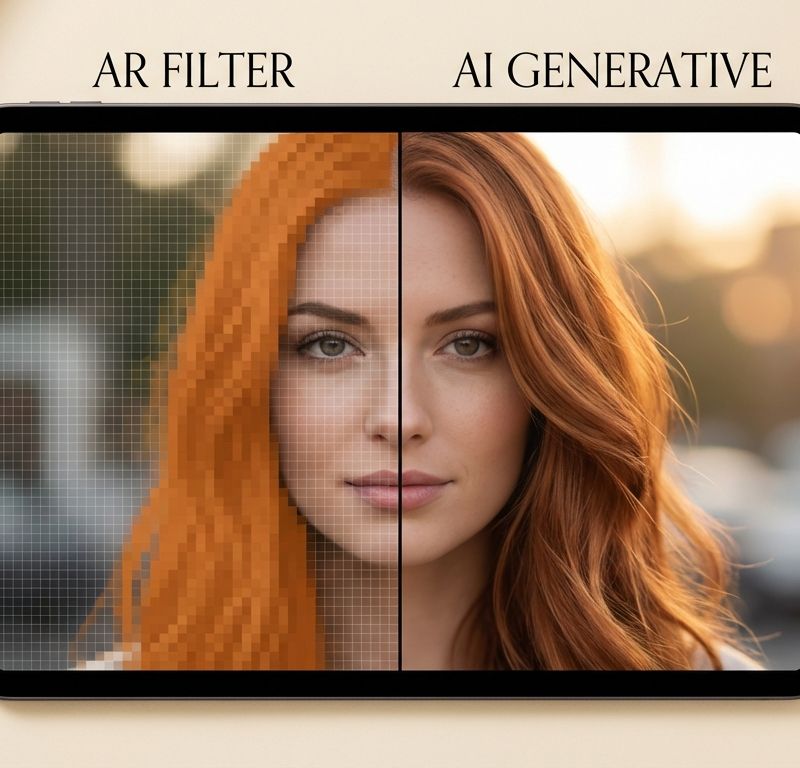
The first is AR color overlay: the system detects the outline of your hair and applies a color filter on top. The result can look unnatural, especially on textured hair, wavy or curly styles, or hair that already has highlights.
The second is generative AI: the system analyzes your photo and generates a new image where your hair has the chosen color, recalculating light, texture, and reflections. The result is photorealistic because it’s not a filter — it’s a new image computed by the AI.
According to the Professional Beauty Association, the use of digital tools in color consultations has grown considerably in recent years, as they help align client expectations with what’s technically achievable before the service begins. That alignment is exactly what a good hair color simulator delivers.
The 5 best hair color try-on tools in 2026
1. Blendsor — Most complete and most realistic
The Blendsor color simulator uses generative AI (Gemini technology) to create a completely new image of your hair with the chosen color. It doesn’t overlay a filter: it generates what your hair would actually look like with that shade, using the lighting and texture from your original photo.
It offers 17 curated colors, from cool blondes to coppers and blacks, including techniques like balayage, highlights, and solid color. It also supports multi-zone options (roots and ends in different colors) — something no other free simulator offers.
What sets it completely apart from the rest: it tells you what you need to achieve that color. When you select a change, Blendsor shows the technical difficulty, estimated number of sessions, and specific warnings (for example, whether your hair needs pre-lightening). It’s the only simulator that connects the visual result to the reality of the process.
Price: Free (3 simulations per day, no account required).
Best for: Anyone who wants a realistic result and wants to understand what the change actually involves before talking to a professional.
2. Garnier Virtual Try-On — Wide catalog, Garnier-only
Garnier’s simulator uses ModiFace technology (AR overlay) to try on colors from their product line. The catalog has around 200 shades, which is extensive, but they’re all Garnier references — if you’re looking for a specific color from another brand, you won’t find it here.
The result quality is medium: it works well on photos with straight hair and even lighting, but on curly, wavy, or highlighted hair the overlay can look artificial. There are no technique options like balayage or multi-zone coloring.
Price: Free (within the Garnier website).
Best for: Anyone who wants to explore the Garnier range before buying a box dye.
3. L’Oréal Paris Virtual Try-On — Same technology, different brand
Same technology (ModiFace), different brand. The L’Oréal Paris simulator lets you try on around 150 shades from their catalog. Result quality is equivalent to Garnier’s: acceptable under ideal conditions, less convincing with complex photos.
It also doesn’t support techniques like balayage or colors from other brands. Useful as a starting point if you’ve already decided to use L’Oréal products.
Price: Free (within the L’Oréal Paris website).
Best for: Anyone already buying L’Oréal and wanting to compare shades in their catalog.
4. YouCam Makeup — Many colors, many locked behind paywall
YouCam is a beauty app with a hair color try-on module. It has over 150 colors available, but a significant number are locked in the free plan and require a paid subscription.
It uses AI filters that deliver medium-to-high quality results under controlled conditions. The app has strong ratings (4.8 on iOS, 4.5 on Android), but reviews frequently note that the most interesting colors are behind a paywall. Technique options are limited.
Price: Freemium — many premium filters are locked.
Best for: Anyone already using YouCam for virtual makeup who wants to explore hair color in the same app.
5. FaceApp — Fast and noticeably artificial
FaceApp is best known for its facial transformations, but it has a hair color change module. Results are quick but noticeably artificial — the color doesn’t respect the original hair’s texture or reflections. It has around 10 colors available, the most limited selection on this list.
It’s an option if you want a very general idea of how you’d look with a drastic change (for example, going from dark hair to platinum blonde), but don’t expect precision or photorealism.
Price: Freemium — hair color features require the paid version ($19.99/year for Hair Color Booth).
Best for: A quick rough idea with no pretense of realism.
Comparison table: all 5 tools side by side
| Feature | Blendsor | Garnier | L’Oréal | YouCam | FaceApp |
|---|---|---|---|---|---|
| Technology | Generative AI | AR overlay | AR overlay | AI filters | AI transform |
| Realism | High (new image) | Medium (color filter) | Medium (color filter) | Medium | Low (artificial) |
| Colors available | 17 curated | ~200 (Garnier only) | ~150 (L’Oréal only) | 150+ | ~10 |
| Multi-zone (roots/ends) | Yes | No | No | Limited | No |
| Techniques (balayage…) | Yes (12+) | No | Basic presets | Limited | No |
| Price | Free | Free | Free | Freemium | Freemium |
| Professional bridge (formula + difficulty) | Yes | No | No | No | No |
| Brand-locked | No (agnostic) | Yes (Garnier only) | Yes (L’Oréal only) | No | No |

Which tool gives the most realistic results?
Realism depends directly on the technology. Garnier and L’Oréal use AR overlay (ModiFace), which is a reliable technology but with clear limitations: the color is layered on top of the original image, and on textured, wavy, or side-lit hair it’s visibly a filter.
Blendsor uses generative AI, which works differently: it analyzes your photo and produces a new image where your hair already has the chosen color, with recalculated reflections and texture. The result is noticeably closer to how the color would actually look.
For colors involving complex techniques like balayage or highlights, the difference is especially visible. An overlay cannot simulate the gradual transition of a balayage; generative AI can.
Allure has documented how generative AI is transforming the color consultation process, allowing clients to arrive at the salon with a far more precise visual reference for what they want.
Which tool should you choose?
The right choice depends on your specific goal:
- You want to see how a color looks on you realistically and understand the process: use the Blendsor color simulator. It’s free, no sign-up, and it also tells you the technical difficulty of the change.
- You want to compare Garnier shades before buying: Garnier’s simulator does that job well.
- You want to compare L’Oréal Paris shades: L’Oréal’s simulator for the same purpose.
- You already use YouCam for makeup and want to explore hair color in the same app: YouCam makes sense if the app is already installed, accepting that the best colors require payment.
- You just want a fast rough idea and don’t care about realism: FaceApp works for that, though free options are very limited.
For most people trying to make an informed decision before a real color change, the combination that makes the most sense is clear: realistic visual result plus information about what the change requires. Only Blendsor offers both.
Frequently asked questions
Which hair color try-on tool is completely free?
Blendsor, Garnier, and L’Oréal offer their simulators completely free. Blendsor allows 3 free simulations per day without creating an account. Garnier and L’Oréal simulators are also free, but limited to their own product catalogs. YouCam and FaceApp are freemium — hair color features are restricted in the free version.
Do I need to download an app to try on hair color online?
No. The Blendsor color simulator works directly in your browser — no app download needed. Garnier and L’Oréal simulators are also browser-based. YouCam and FaceApp require installation (available on iOS and Android).
Do hair color simulators work on curly or textured hair?
Quality varies significantly depending on the technology. AR overlay simulators (Garnier, L’Oréal) struggle with complex textures because the color filter doesn’t always follow the shape of each strand naturally. Blendsor’s generative AI processes the entire image and recalculates highlights and texture, giving better results across all hair types, including curly.
Can I try on techniques like balayage or highlights with an online simulator?
Only with Blendsor. It’s the only free simulator that supports color techniques like balayage, highlights, ombre, and multi-zone options (roots and ends in different colors). The other tools in this comparison only apply a flat color to the entire hair or offer very basic presets.
Will the simulator result look exactly like my real hair color?
No simulator can guarantee the result will be identical to what you’d get in a salon, because the actual outcome depends on factors like your current natural color, previous dye history, hair porosity, and your colorist’s technique. What a good simulator does — especially Blendsor — is give you a close visual reference that helps you communicate clearly with your colorist and understand whether the change is realistic for you.
Does Blendsor explain what treatments I need to achieve the chosen color?
Yes. That’s the feature that sets it apart. When you simulate a change in the Blendsor color simulator, the tool displays the technical difficulty of the change, the estimated number of sessions needed, and specific warnings (for example, if pre-lightening is required or if your hair could be at risk of damage). That information reaches you before you sit in a salon chair, not after.
Can I use the Blendsor simulator without creating an account?
Yes. No account is needed. It works with 3 free simulations per day directly from your browser. If you want more simulations or access to additional features, paid plans are available.
What if the color I want isn’t available in the simulator?
Blendsor has 17 curated colors that cover the most common changes: cool and warm blondes, brunettes, coppers, blacks, and techniques like balayage. If the specific color you’re looking for isn’t in that catalog, the practical solution is to describe it to your colorist using the closest available reference as a starting point.
In summary
- AR overlay simulators (Garnier, L’Oréal) are free and useful for exploring brand shades, but results can look unnatural.
- YouCam and FaceApp have freemium models with limited or paywalled hair color features.
- Blendsor is the only simulator that uses generative AI, supports techniques like balayage, and explains what you need to achieve the change at a salon.
- For making an informed color decision before your appointment, the Blendsor color simulator is the most complete option — and it’s still free.
Have you tried any of these simulators? Did the result match what you actually got at the salon?
Related articles


Try Blendsor free
AI formulas, client profiles and smart assistant. All in your pocket.
Download freeWritten by the Blendsor team
Professional hair colorimetry experts with experience in AI-assisted formulation. We combine color science, salon practice and technology to help colorists formulate with precision.