7 Best Hair Colorist Apps Ranked (2026): Tested by Pros
We compared 7 hair colorist apps from what each one publishes (October 2026): AI formulation, multi-brand support, client history and pricing, side by side.
Blendsor
Blendsor Team
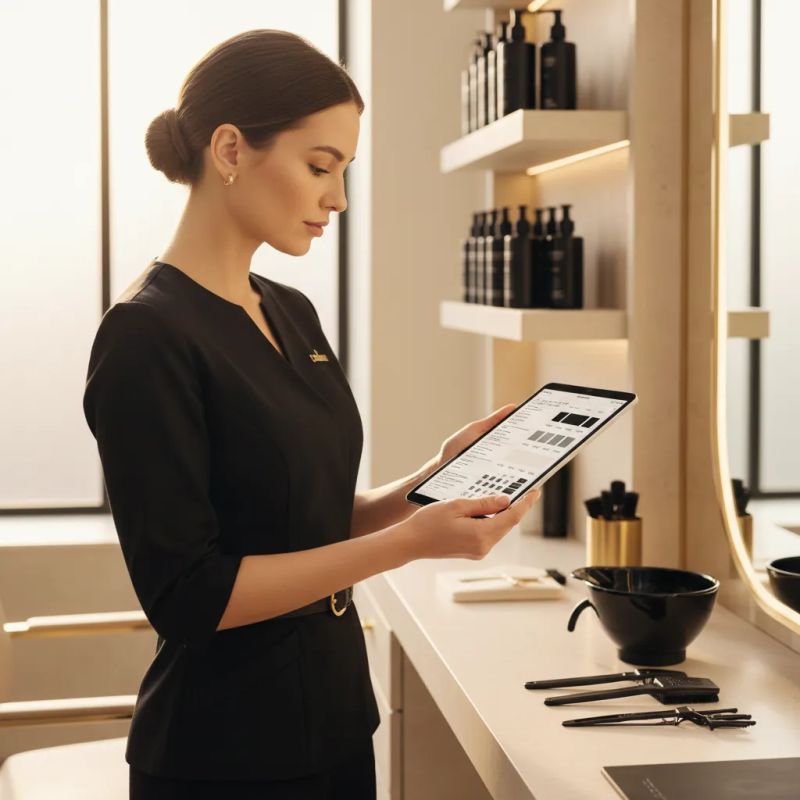
Still writing formulas in a notebook? Trying to remember what you mixed for Sarah three months ago?
Understanding the most common color formulation mistakes is the first step; having a tool that helps you avoid repeating them is the second. An app doesn’t formulate for you, but it saves you hunting for old formulas and recalculating mixes from memory.
But the market for colorist apps is confusing. There are cost and inventory apps, formulation apps, brand-specific apps, and AI-powered apps. Which one do you actually need?
We reviewed what each app publishes on its official website and App Store listing (October 2026). We did not test them in a salon. And one thing to know up front: Blendsor is our app. It’s on the list, but the facts about the others come from their official pages, linked in each section.
Quick summary: we cover 7 apps for colorists. Blendsor (our app) suggests a formula with AI from a photo and is multi-brand; SalonScale focuses on the cost of each formula and on inventory (from $49/month); Color Coach formulates and translates formulas between brands ($9.99/month); House of Color, by Schwarzkopf Professional, has no cost and works with its own products. Prices as of October 2026, per their websites. The best app is the one you actually use.
What Should a Good Colorist App Have?
A good colorist app must cover six functions: smart formulation (mixes, ratios, neutralizations), client history (retrieve formulas with one tap), multi-brand compatibility (Wella, Schwarzkopf, L’Oreal), usability between clients, pricing justified by the value it delivers, and availability in your language.
Before comparing, let’s define the criteria that matter:
| Criterion | Why It Matters |
|---|---|
| Smart formulation | Calculate mixes, ratios, and neutralizations without relying on memory |
| Client history | Pull up previous formulas with one tap |
| Multi-brand | Works with Wella, Schwarzkopf, L’Oreal… not just one brand |
| Ease of use | Usable between clients, not only when you have free time |
| Fair pricing | The cost is justified by the value it delivers |
| Language | Available in your language, not just English |
Which Colorist Apps Are There in 2026? The 7 We Compare
The 7 apps we cover are: Blendsor (AI formulation, multi-brand; Permanent Free plan and Pro from €19/month), SalonScale (cost and inventory, from $49/month), Color Coach (formulation and cross-brand translation, $9.99/month), House of Color by Schwarzkopf Professional (no cost, for its own products), Gloss (formula and client storage, from $2.99/month on the annual plan), CLICS (its own dispenser plus an app, price on request) and SureTint (quantity calculation, price not published).
1. Blendsor: AI for Formulation and Diagnosis
What it does: Blendsor is our app. It analyzes a photo of the hair by zone (level, tone, gray percentage) and suggests the formula with product, developer, mixing ratio and timing, plus a safety checklist that includes the allergy test.
Key features:
- AI hair analysis from photos
- Formulation with dozens of variables, using the brands and lines you work with (120+ professional brands)
- Formula, hair health and photo history for each client
- A chat with an AI advisor to talk through cases and formulate
- Cost estimate for each service (estimated product plus your hourly rate) with a suggested price
- Appointment calendar
- Multi-brand (Wella, Schwarzkopf, L’Oreal, Goldwell…), plus a shade converter on our website that covers 15+ professional brands
- In English, Spanish and Portuguese, on iOS and Android
Price: Permanent Free plan / Pro from €19/month (charged in your app store’s currency)
Best for: Colorists who want a second opinion when formulating and each client’s history on their phone. Especially useful if you work with several brands.
Limitations: No inventory or stock tracking. And a photo doesn’t replace your hands: confirm what the app reads in it at the chair before you mix.
2. SalonScale: Cost and Inventory Control
What it does: SalonScale focuses on the money side. According to its website, it shows you the true cost behind every formula, with real-time product costs, inventory and ordering. SalonScale itself says the Bluetooth scale is a useful accessory but not required.
Key features:
- True cost of each formula, with real-time product costs
- Inventory and ordering
- Waste tracking
- Digital formula storage and client photos
- Integrations with Square, Phorest and Meevo
Price: From $49/month (Solo plan, 1 stylist), as of October 2026, per its pricing page. It offers a demo; its pricing page doesn’t list a trial. Annual billing comes with a discount and a scale included.
Best for: Salon owners who want to control the cost and the product of every service.
Limitations: Its focus is cost and inventory: its website describes those features, not formulation. Languages other than English are not stated.
3. Color Coach: Cross-Brand Formulation
What it does: According to its App Store listing, it formulates and translates hair color across many brands, based on color theory. If you have a formula in one brand and need to replicate it in another, Color Coach suggests the equivalent. It’s made by Color Coach LLC.
Key features:
- Formula translation between brands
- Formula generation based on color theory
Price: $9.99/month after a 7-day trial, or $99/year, as of October 2026, per its website.
Best for: Colorists who work with multiple brands or often change suppliers.
Limitations: Its description centers on formulating and translating formulas; if you need client history or photo analysis, check its listing. Languages other than English are not stated.
4. House of Color (Schwarzkopf Professional): Brand Formulation
What it does: Schwarzkopf Professional’s official app, published by Henkel and offered at no cost. According to its App Store listing, its quick formula finder suggests formulas based on your client’s profile, needs and hair type.
Key features:
- Client consultation
- Quick Schwarzkopf formula finder
- Color theory and education
- Shade conversions: announced on its website, not yet available
Price: No cost, per its App Store listing (October 2026).
Best for: Colorists who work only with Schwarzkopf Professional.
Limitations: It’s built around Schwarzkopf Professional products. Conversions aren’t available yet, per its website.
Other professional brands with apps: Wella has ShadeChart (a digital shade chart with a conversion guide to other brands) and the Wella App; Redken has Style Station (digital swatchbooks); Matrix has The Matrix Professional App; and Goldwell has Education Plus (shade selector and education). We checked them on the US App Store.
5. Gloss: Formula and Client Storage
What it does: A simple app for storing formulas and client data, by Rentroom Inc. That’s what its App Store name says (“Save Formulas & Clients”).
Key features:
- Formula and client data storage
Price: First month at no cost; then $3.99/month on a monthly plan or $35.99/year ($2.99/month), as of October 2026, per its App Store listing.
Best for: Colorists who want something simple to avoid losing formulas.
Limitations: Its listing presents it as a place to store formulas and clients; if you want help formulating, look at another option on this list.
6. CLICS: Digital Dispensing
What it does: CLICS pairs its own color dispenser with an app. According to its website, the dispenser works with the app to produce colors accurately, and it calls itself “the industry’s first AI-enabled digital hair color studio”. Per its App Store listing, the app keeps client history and is only for stylists invited by their salon. Goldwell has its own version, Goldwell powered by CLICS.
Key features:
- Color dispensing with its own dispenser
- Client history in the app
- AI-enabled digital color studio, per its website
Price: On request: its website says to contact CLICS (October 2026).
Best for: Salons that want to dispense color by machine and keep history in the app.
Limitations: You need the dispenser, and the price isn’t listed. Only stylists invited by their salon can use the app.
7. SureTint (LaRu App): Quantity Calculation
What it does: The company is SureTint Technologies and its app is called LaRu. According to its website, its technology calculates the exact amount of color, developer and additive for your client’s hair and the service, and it talks about dispensing the product.
Key features:
- Calculation of color, developer and additive amounts
- Product dispensing
- Switching color brands with conversion, per the LaRu App Store listing
Price: Not shown on its website (October 2026).
Best for: Salons that want to measure the product used in each service.
Limitations: Its website centers on product quantities. The LaRu App Store listing hasn’t been updated since April 2024.
Quick Comparison Table
| App | AI Formulation | Multi-brand | Client History | Languages beyond English | Price |
|---|---|---|---|---|---|
| Blendsor (ours) | Yes | Yes | Yes | Yes | Permanent Free plan / Pro from €19/mo |
| SalonScale | Not stated | Not stated | Yes (formulas and photos) | Not stated | From $49/mo |
| Color Coach | Not stated | Yes | Not stated | Not stated | $9.99/mo |
| House of Color | Not stated | Schwarzkopf Professional only | Not stated | Not stated | No cost |
| Gloss | Not stated | Not stated | Yes | Not stated | From $2.99/mo (annual) |
| CLICS | Yes, per its website | Not stated | Yes | Not stated | On request |
| SureTint (LaRu) | Not stated | Yes (conversion) | Not stated | Not stated | Not shown |
“Not stated” means its official website or App Store listing doesn’t say so (October 2026), not that the app lacks it.
Which App Should You Choose Based on Your Situation?
It depends on what you need most: help formulating plus each client’s history (Blendsor), cost and inventory control (SalonScale), translating formulas between brands (Color Coach), working with a single brand (its official app, such as House of Color for Schwarzkopf Professional) or dispensing color by machine (CLICS or SureTint).

You’re an Independent Colorist
What fits: Blendsor, our app. If you work on your own and with several brands, it suggests a formula from a photo and keeps each client’s history. The final call is still your judgment.
You’re a Salon Owner Who Wants Cost Control
What fits: SalonScale, for the cost of each formula, inventory and waste. If you also want help formulating, you can use Blendsor alongside it (it also estimates the cost of each service, though it doesn’t track inventory).
You Work Exclusively with Schwarzkopf Professional
What fits: House of Color (no cost). If you also want photo diagnosis, Blendsor does that.
You Have a Large, High-Volume Salon
What fits: CLICS or SureTint, if you want to dispense color by machine; neither lists its price. If you won’t invest in equipment, Blendsor covers formulation and clients from your phone.
Notebook, Spreadsheet, or Specialized App: Which Is Better for Formula Management?
A notebook has no running cost, but no backup either, and finding a formula means minutes of flipping pages. A spreadsheet searches fast and can live in the cloud, but neutralization calculations are manual. A specialized app finds a formula in one tap and saves to the cloud; the rest depends on each app, and prices range from no-cost apps to paid plans (see each one above).
Many colorists still use notebooks or spreadsheets. There’s nothing wrong with that if it works for you. But compare:
| Aspect | Notebook | Spreadsheet | Specialized App |
|---|---|---|---|
| Find old formula | Flipping pages | Searching cells | 1 tap |
| Calculate neutralization | Mental math or chart | Manual formula | Suggested, if the app formulates |
| Share with assistant | Photocopy | Send file | Depends on the app |
| Backup if lost | None | If copied | Cloud-based |
| Trend analysis | Impossible | Possible with effort | Depends on the app |
| Cost | ~$5/notebook | $0 | From $0/month, depending on app and plan |
To dive deeper into organizing your workflow, check our professional formula management guide.
Frequently Asked Questions
Do I really need an app to formulate color?
It’s not mandatory. It helps once you can no longer remember every regular client’s formula. Memory fails, notebooks get lost, and a misremembered formula can ruin a service. An app gives you consistency and speed.
Do color apps replace technical knowledge?
No. Apps are tools that complement your training, not replace it. You need to understand basic colorimetry to interpret what the app suggests and adjust for each particular case.
Is it safe to store client data in an app?
It depends on each app: read its privacy policy. In Blendsor, the database is in the EU (Paris), photos are encrypted and the policy follows the GDPR (privacy policy). A notebook, on the other hand, anyone can open or lose.
Can I use multiple apps at once?
Yes. You can combine a formulation app (such as Blendsor) with a cost and inventory tool (such as SalonScale). The key is not to duplicate information.
How much does a color app cost per month?
From $0 (Blendsor’s Permanent Free plan, or House of Color at no cost) to $49/month for SalonScale’s Solo plan, and more on its salon plans (prices as of October 2026, per their websites). Whether it pays off depends on what redoing a service or throwing product away costs you today.
In Summary
The colorist app market in 2026 splits into:
- AI formulation: Blendsor does photo diagnosis and suggests the formula with the brands you use
- Cost control: SalonScale focuses on the cost of each formula, inventory and waste
- Cross-brand translation: Color Coach solves a specific but important problem. Blendsor also offers a shade converter across 15+ professional brands
- Brand apps: House of Color (Schwarzkopf Professional) has no cost and works with its own products; Wella, Redken, Matrix and Goldwell also have their own apps
- Dispensing: CLICS and SureTint, with no published price
The best app is the one you actually use. Start with the base plan of whichever best fits your primary need and scale from there.
Ready to ditch the notebook? Try Blendsor and discover how AI can transform the way you formulate color.
Manufacturer sources
Manufacturer documents consulted for this article. A copy of each one is kept, and the passages noted from it are checked against that copy.
Related articles


The Blendsor newsletter
Color techniques and trends for professionals. No spam.
The second opinion, in your pocket
Photo, question, an answer grounded in colour theory. And every formula saved to your client's card.
Start with BlendsorWritten by the Blendsor team
Professional hair colorimetry experts with experience in AI-assisted formulation. We combine color science, salon practice and technology to help colorists formulate with precision.